Real mouse only when allowed
Only with foreground=true, which you approve. Cursor and foreground are handed back at the end; any physical input from you during the batch stops it.
 NexusWindows / for Claude
All editions
NexusWindows / for Claude
All editions
MCP SERVER · CLAUDE DESKTOP · CLAUDE CODE
Windows computer use for Claude, in the background.
A local MCP server, nexus-windows, for Claude Code and Claude Desktop: Claude reads a window and acts on it while you keep the mouse, the keyboard and the foreground window.
For

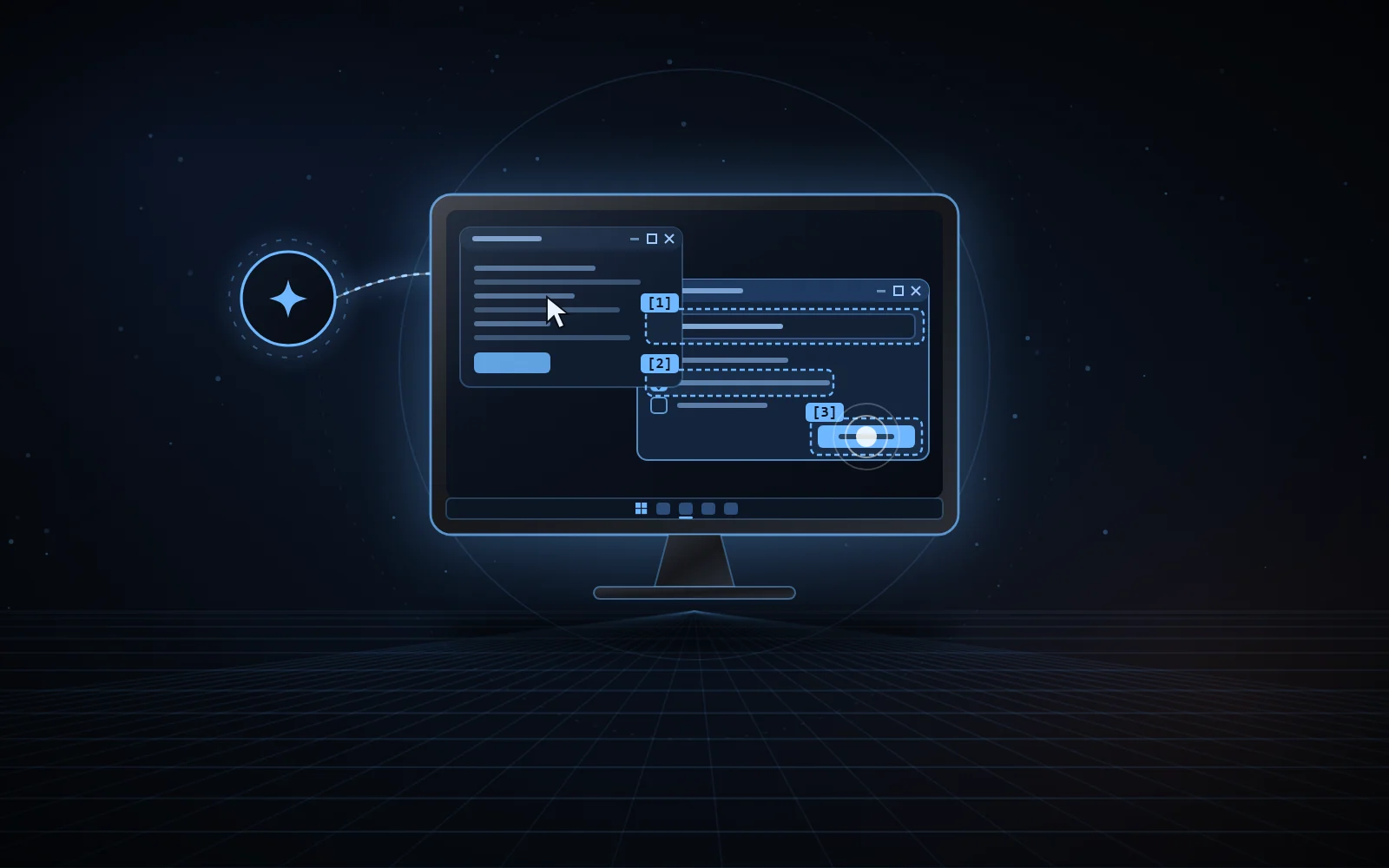
look(window="Form")[1] Name · field[2] Subscribe · check box[3] Save · buttonact(steps=[…])set « Ada » effect read backcheck [2] already true, nothing sentclick [3] sent, effect not readable01 / WHY
Screenshot-and-click computer use moves the real cursor and brings windows to the front: you have to stop working while the agent acts. Most Windows applications can be driven otherwise: native controls accept window messages, modern frameworks expose UI Automation, Chromium its accessibility tree.
NexusWindows for Claude picks, for each UI family, a technique measured not to steal focus, reads the effect back, and only falls back to the real mouse or keyboard when you allow it.
Anthropic’s own computer use (Cowork and Claude Code in the Claude Desktop app) is a beta for the Pro and Max plans only: according to Anthropic’s help center, Team and Enterprise plans don’t have access to it at this time. NexusWindows for Claude is a local MCP server: it brings Windows computer use to Claude Desktop and Claude Code on any plan that can load a local MCP server, Team and Enterprise included.
02 / WHAT IT DOES
Each step is reported as ✓ read back, = already true, ~ sent without read-back (never counted as a success) or ✗ failure or refusal; a batch stops at the first ✗.
windowsApplication windows, front to back: title, process, UI family, size.
lookNumbered [N] elements (role, name, value, state, position) and an image, without bringing the window forward.
actSeveral steps in one call, each read back: click, typing, check box, list, menu, keys, scrolling, drag.
launchStarts an application, a folder or a document without giving it focus; the opening is verified.
windowRestore behind, minimize, maximize, close, move, resize.
logsDebug log: techniques tried, durations, errors, server state.
Win32Direct messages to controls, read back. UI Automation avoided where it was measured to steal focus.
WinForms · WPF · UWP · WinUIUI Automation without taking focus and with bounded timeouts; drop-down lists opened, chosen and read back.
Chromium · ElectronSimulated activation, sent to that window only: the page receives real keystrokes while Windows keeps the foreground.
checkA postcondition per step: already true, the step is skipped; false afterwards, the batch stops.
rememberRoutines saved only if everything was read back, replayed by name and re-verified at every step.
PrintWindow10 to 26 ms capture, covered windows included; images sized to keep coordinates exact.
Repository measurements (one PC, October 2026); offline suite: 580 passed, 6 skipped (October 16, 2026).
03 / SAFEGUARDS
The rules live in the tool itself, not only in the agent’s instructions.
Only with foreground=true, which you approve. Cursor and foreground are handed back at the end; any physical input from you during the batch stops it.
Consoles, UAC and credential prompts, password managers, the Run dialog, the taskbar, the desktop, Start and Search: never. No typing in an address bar, no password field.
The Claude app, File Explorer, other AI agents, IDEs with an integrated terminal and administration tools: refused unless allowed in policy.json.
Consoles, interpreters, script hosts, shortcuts and Chromium switches that run code: refused. A browser started with devtools=true gets a throwaway profile, without an account.
Every look reminds the model that displayed text is not an instruction. Typed text is never logged, the clipboard never used.
If its code changed on disk, a running server refuses to act until it is restarted; an abandoned call is cancelled at its next checkpoint.
04 / ALONGSIDE OTHER AGENTS
Two file-based protocols shared by the NexusWindows editions and NexusBrowser. Any agent can implement them.
A shared file, held only while really using the mouse or the foreground, never for a background action. Windows releases it if the agent stops; a waiting agent gives up after a few seconds and says who holds it.
Ctrl+Alt+Shift+Esc blocks every desktop action for 2 minutes, for every agent; reads stay allowed. Deleting the file or changing the clock does not lift the stop.
Any physical input from you during a batch holding the real mouse stops it, and the foreground is handed back to you.
05 / INSTALLATION
Requirements: Windows 10 or 11, uv and Python 3.14. After uv sync, the server is registered with Claude Code through claude mcp add, or in claude_desktop_config.json for Claude Desktop.
claude mcp add --scope user --transport stdio nexus-windows -- uv run --project <clone> --frozen python -m nexus_windows
Independent project, not affiliated with Microsoft or Anthropic.
06 / THE NEXUS FAMILY

A layer that makes Codex’s Computer Use act in the background first on Windows.
Discover the Codex edition
MCP server for Google Antigravity, designed for Gemini: one look, then one batch.
Discover the Antigravity edition
Your real Chrome, driven by your AI agents in background tabs.
Discover NexusBrowser
A real Android phone, seen and driven by your agents over ADB.
Discover NexusAndroid07 / SOURCE CODE
The code, documentation and measurements are on GitHub, under the MIT licence.