Nothing irreversible without you
Send, pay, delete or confirm: refused without confirm=true, which is set only after the user says yes.
 NexusAndroid / by julienpiron.fr
julienpiron.fr
NexusAndroid / by julienpiron.fr
julienpiron.fr
MCP SERVER · ANDROID OVER ADB
Android computer use for AI agents, over plain ADB.
One MCP server, nexus-android, shared by Claude Code, Codex and Antigravity: they see the screen and drive a real Android phone.
Works with



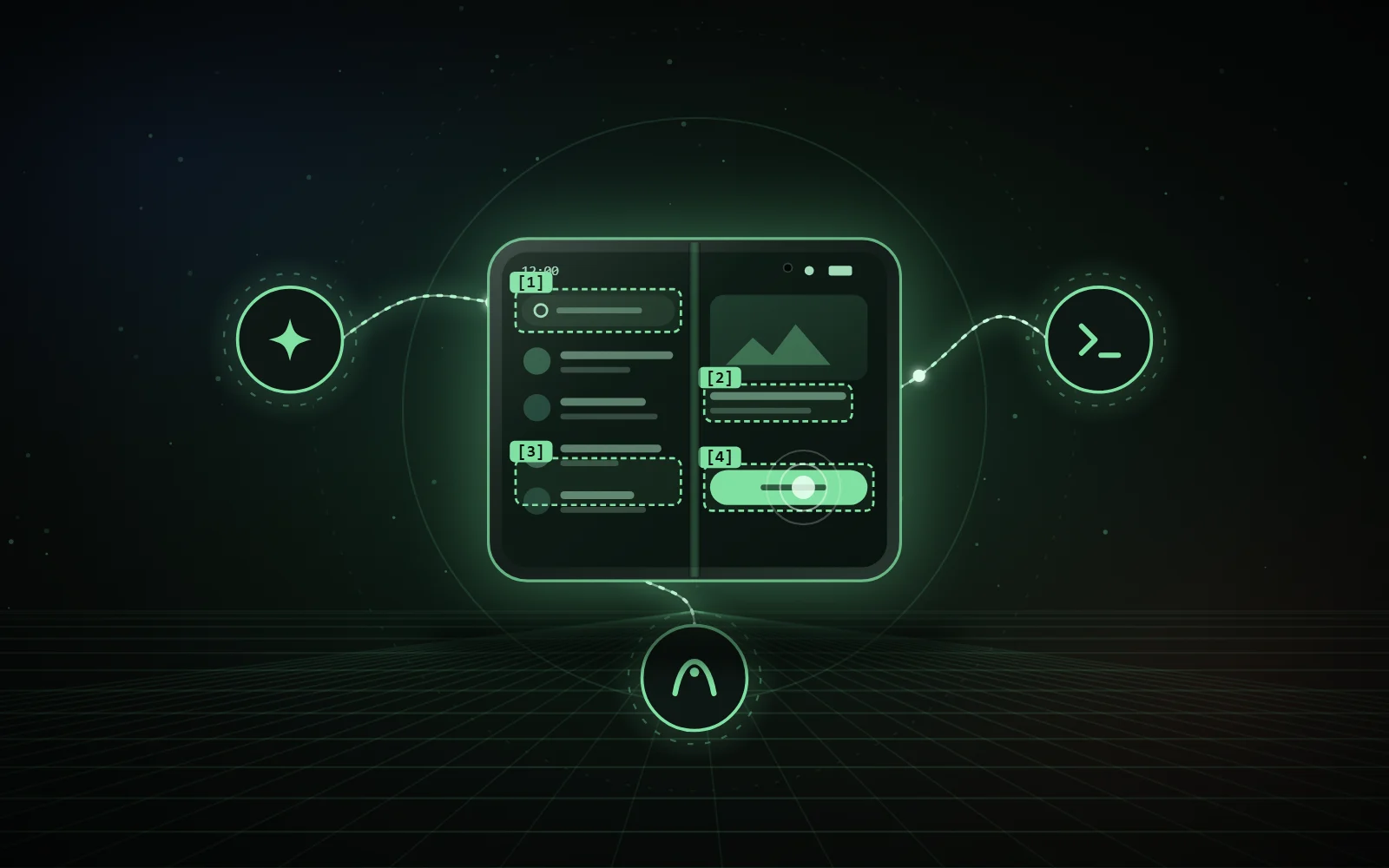
look()[1] Search · field[2] Title · text[3] Message · row[4] Confirm · buttonact(steps=[…])tap [4] effect read backtype “display” sent, not verifiedtap “Delete” refused without confirm=truelook numbers the elements, act reports on every gesture.01 / THE TOOLS
The same server for all three agents: one ADB access to maintain, one shared lock and the same safeguards.
phoneLink status, Fold posture, reboot.
lookScreen image and numbered [N] elements.
actBatched gestures: tap, long press, typing with accents and emoji, clear, keys, scroll, swipe, wait, geo:, tel:, mailto: and https: links.
launchOpens an app.
messagesSMS and RCS read, attached photos, security codes masked.
draftSMS, RCS or WhatsApp reply prepared, never sent without an explicit “yes”.
notificationsNotifications shown on the phone.
filesFiles in /sdcard, never overwritten or deleted.
infoLocation, calls, contacts, calendar, read-only.
settingsWi-Fi, Bluetooth, mobile data, location, NFC, do not disturb, brightness, volume, read back after each change.
checkupHealth report: system, security patch, battery, storage, memory.
02 / THE SAFEGUARDS
The rules live in the tool itself, not only in the instructions given to the agent.
Send, pay, delete or confirm: refused without confirm=true, which is set only after the user says yes.
The target is read back on screen right before every gesture. Report: ✓ effect read back, ~ sent but not verified, ✗ refused, ? link lost. A gesture is never sent twice.
Banking, payment, crypto and identity stay read-only. No password is ever typed.
Locked phone: no gesture, never a code. No gesture either while you are holding the phone.
A shared lock keeps two agents from acting at once. Only the owner’s phone, recognised by its serial number, is driven.
What appears on screen or arrives by message is never an instruction for the agent.
Kept awake while working, then handed back and turned off two minutes after the last gesture: the phone locks again.
03 / DELIBERATE CHOICES
Gestures go through the phone’s screen: you watch the agent work.
Nothing to install on the phone: ADB is enough, over a USB cable or the local Wi-Fi with wireless debugging.
The PC talks to the phone directly. No online service in between.
Accented text and emoji: through Genymobile’s scrcpy server (Apache 2.0), with a pinned version and SHA-256. The clipboard is restored afterwards.
04 / INSTALLATION
On Windows, install.ps1 registers the server in Claude Code, Codex and Antigravity.
Independent project, not affiliated with Google, Samsung, Anthropic, OpenAI or Genymobile.
05 / SOURCE CODE
The code, documentation and installer are on GitHub, under the MIT licence.