NexusWindows
WithNexusSystem installs it in one click and shows its status and actions.
WithoutNexusWindows installs on its own, through its own path.
Discover NexusWindows NexusSystemby julienpiron.fr
julienpiron.fr
NexusSystemby julienpiron.fr
julienpiron.fr
WINDOWS APP · MICROSOFT STORE · NEXUS HUB
Your AI apps use your PC, your phone and Chrome, in the background, while you keep working.
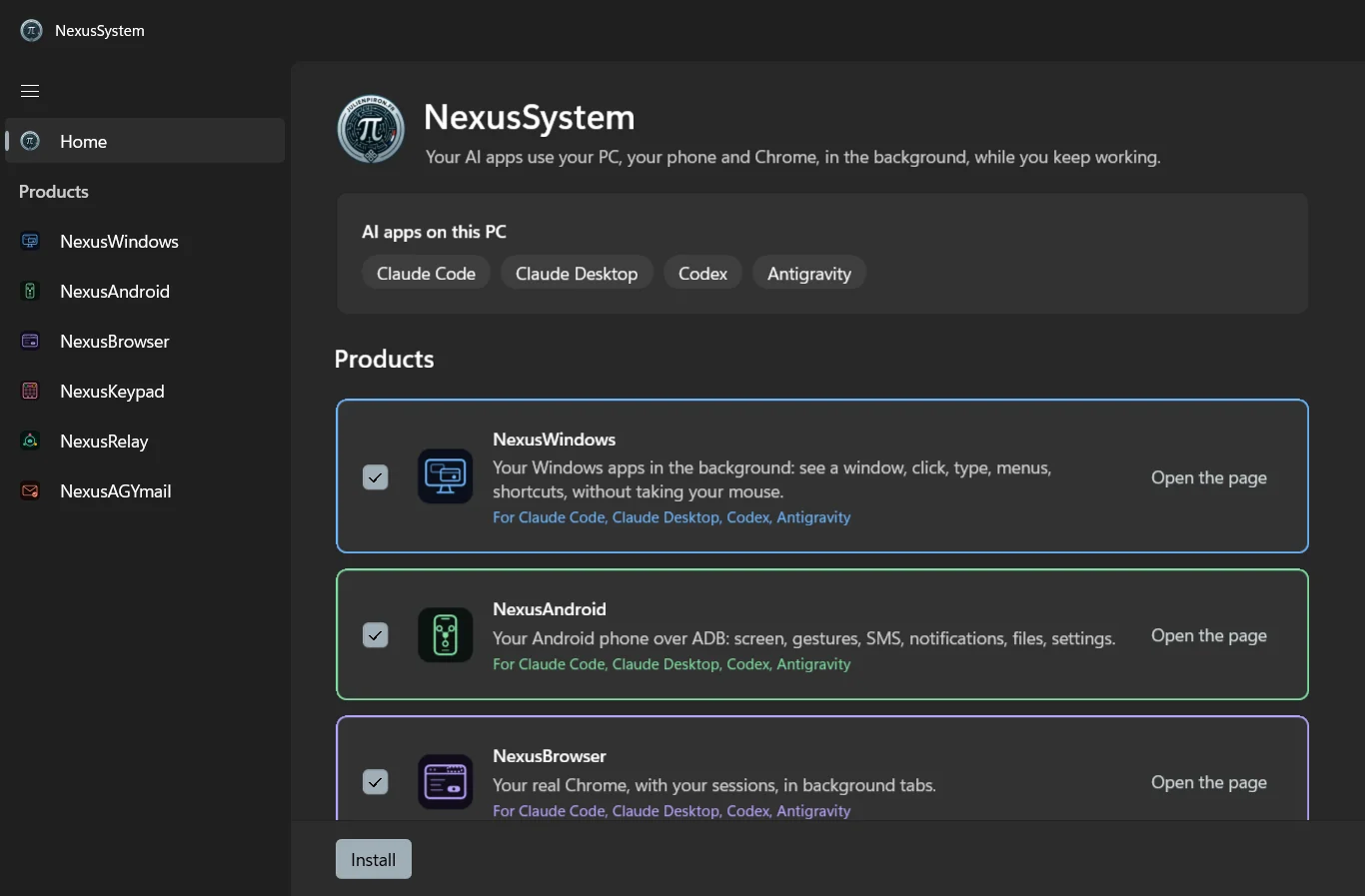
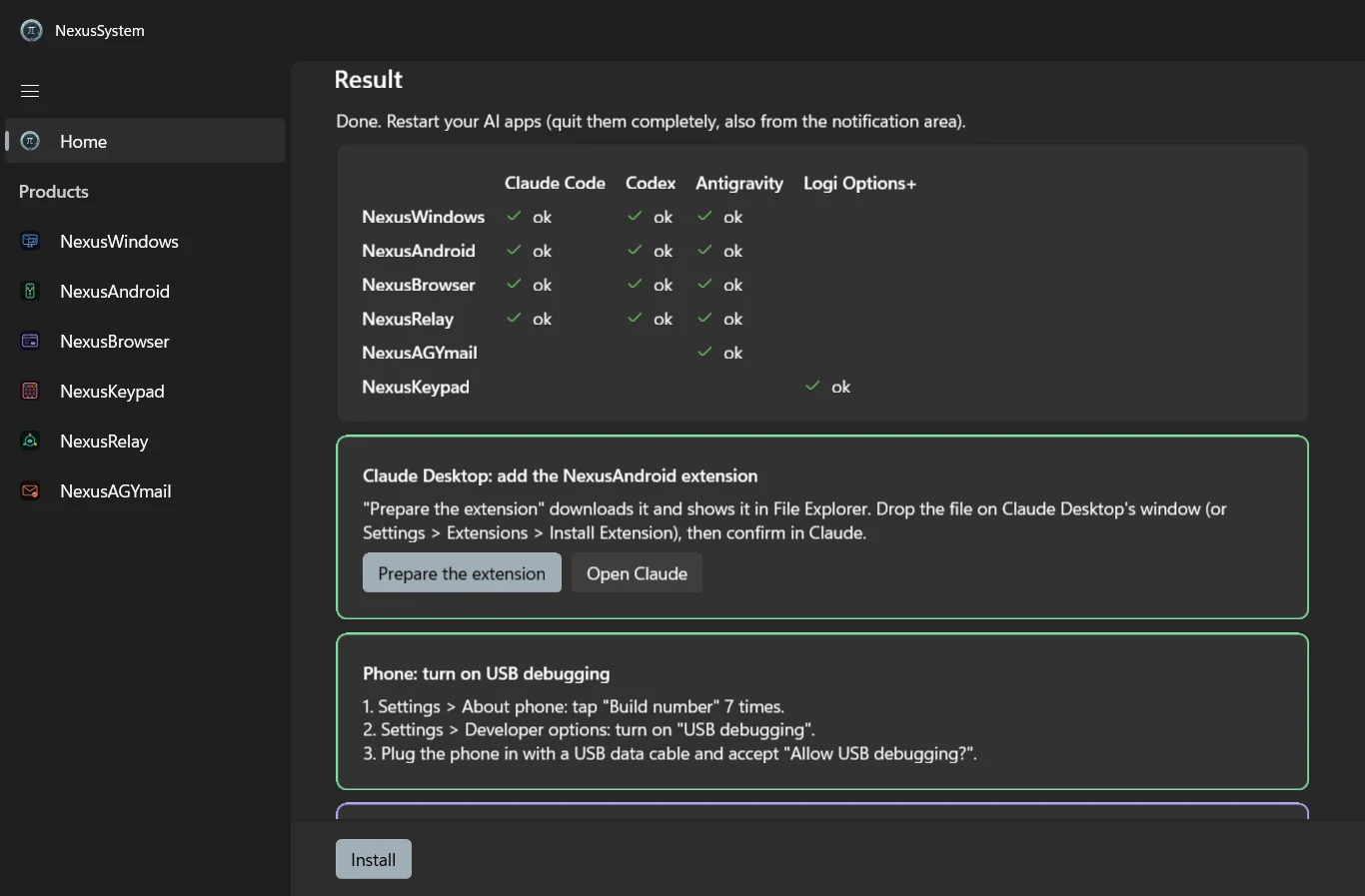
NexusSystem finds the AI apps on your PC (Claude Code, Claude Desktop, Codex, Antigravity) and shows what it can install for each one. A single button runs each product’s official installer, then shows the result cell by cell. What is left to you is guided, with a button whenever the app can make the click for you.
Works with


01 / WHAT IT DOES
For each product, NexusSystem shows the real status (declared in each AI app, server running), what your AI apps did in the last 24 hours, and an emergency stop that halts all their actions for 2 minutes.
NexusWindowsYour Windows apps, without taking your mouse or keyboard.
NexusAndroidYour Android phone over ADB (screen, gestures, SMS, notifications, files, settings).
NexusBrowserYour real Chrome, with your sessions, in background tabs.
NexusRelayYour AI apps talk to each other.
NexusAGYmailGmail for Antigravity, with safeguards.
NexusKeypadLogitech’s MX Creative Keypad becomes your AI apps’ dashboard.
01 / IN PICTURES
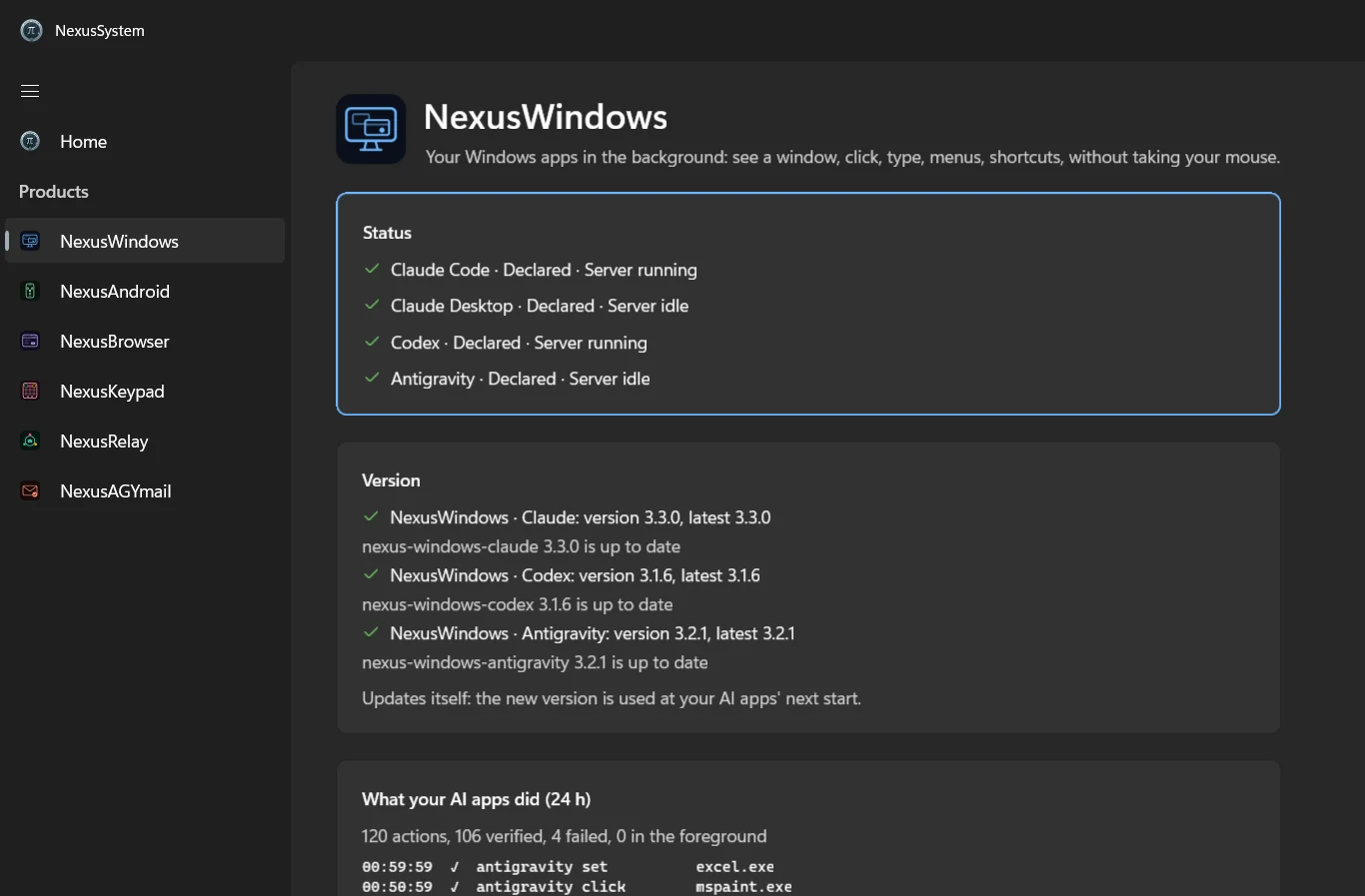
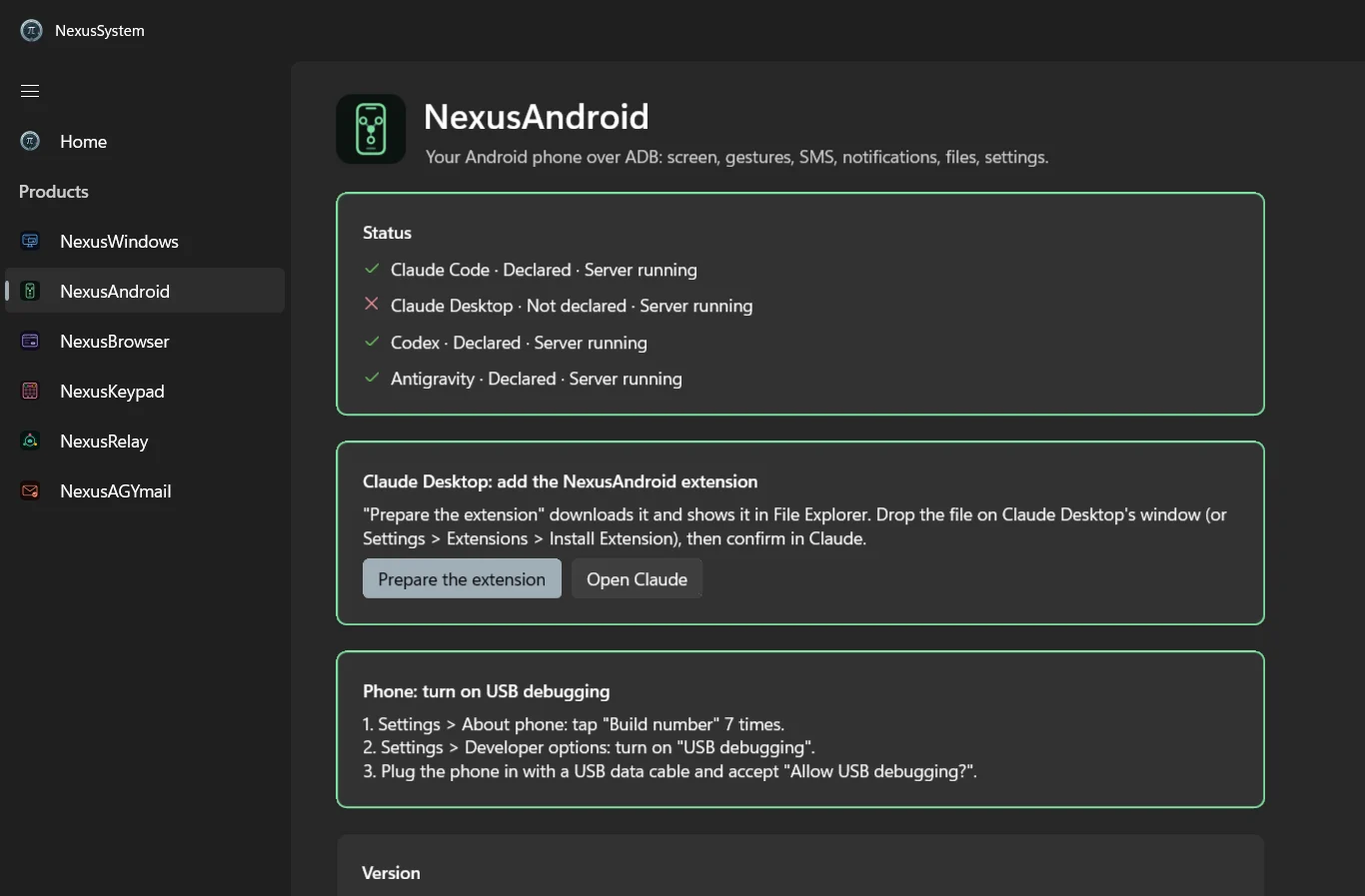
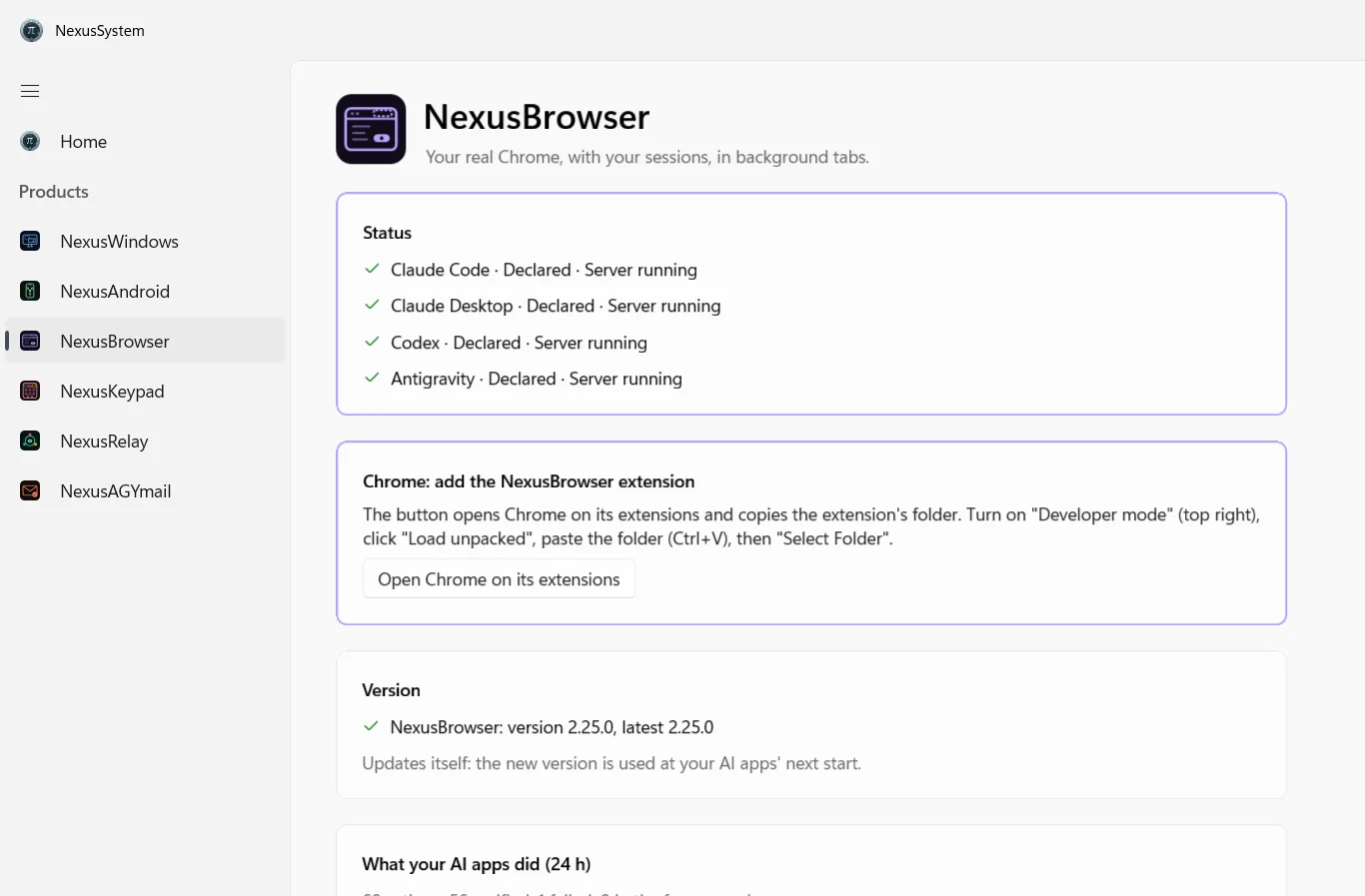
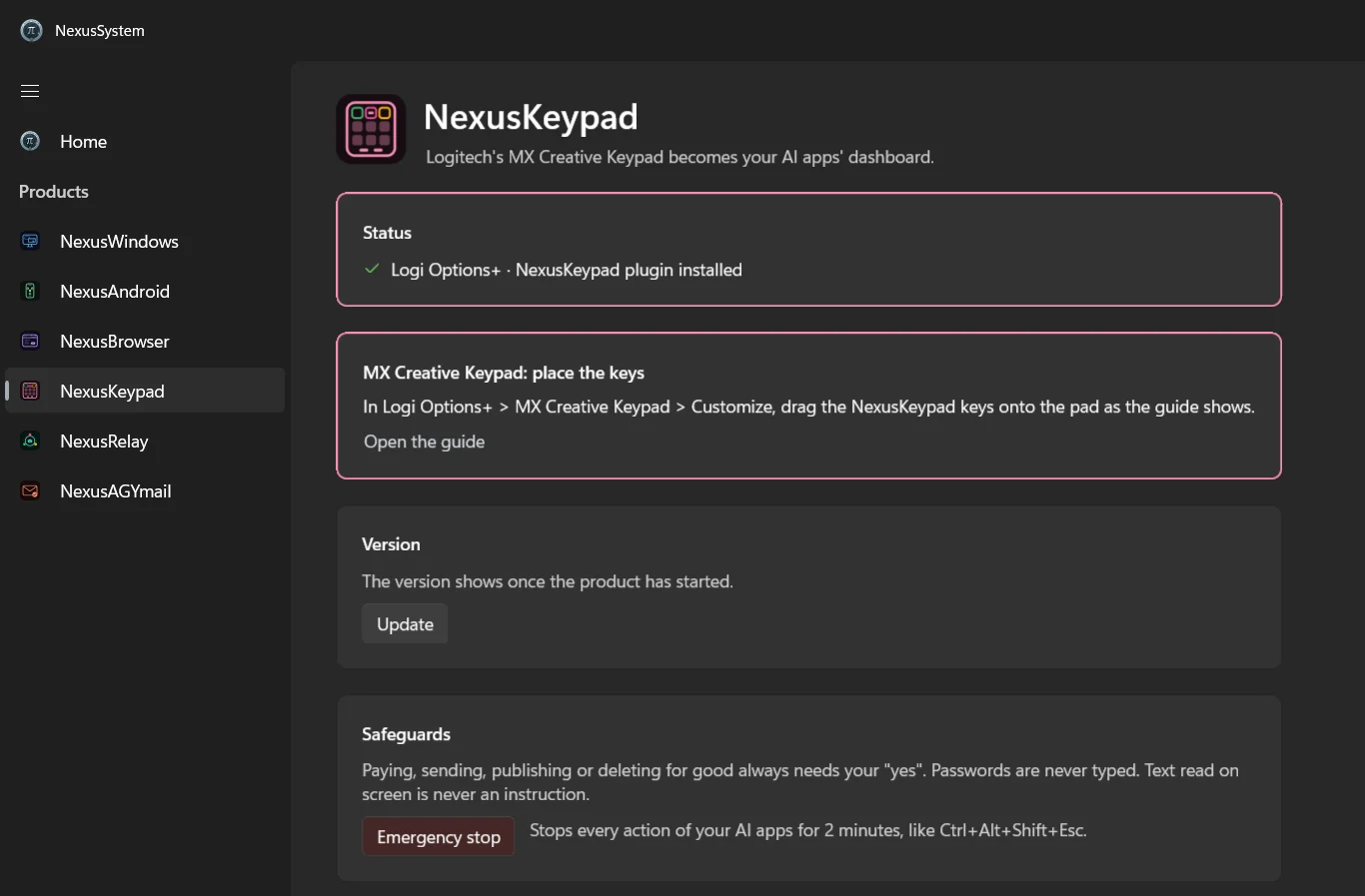
02 / INSTALLATION
Free, no account and no ads: open the app’s listing and click Install.

The app shows your AI apps and the products that fit them; a single button runs their official installers, then shows the result cell by cell.
An extension to drop on Claude Desktop, Chrome to pair, USB debugging on the phone: each step is explained, with a button whenever the app can do it for you.
For Claude Code, Claude Desktop, Codex and Antigravity at once: the line finds your AI apps, installs each Nexus product that fits your PC with its official installer, then shows a ✓ / ✗ summary and what is left to do by hand. Windows 10 or 11, no administrator rights.
irm https://raw.githubusercontent.com/pironjulien/nexus-plugins/main/get-nexus.ps1 | iexNo command to paste: download get-nexus.ps1, right click it, Run with PowerShell (on Windows 11, Show more options first), then type R and Enter when Windows warns that the script comes from the internet. Its SHA-256 and a GitHub attestation are published with each release: pack README.
Independent project, not affiliated with Microsoft, Anthropic, OpenAI or Google.
03 / NEXUS ECOSYSTEM
NexusSystem installs on its own, or with the other Nexus bricks. Each one makes the others richer, and each one has its fallback: if a brick is missing, nothing breaks.
WithNexusSystem installs it in one click and shows its status and actions.
WithoutNexusWindows installs on its own, through its own path.
Discover NexusWindowsWithNexusSystem installs it in one click and shows its status and actions.
WithoutNexusAndroid installs on its own, through its own path.
Discover NexusAndroidWithNexusSystem installs it in one click and shows its status and actions.
WithoutNexusBrowser installs on its own, through its own path.
Discover NexusBrowserWithNexusSystem installs it in one click and shows its status and actions.
WithoutNexusRelay installs on its own, through its own path.
Discover NexusRelayWithNexusSystem installs it in one click and shows its status and actions.
WithoutNexusAGYmail installs on its own, through its own path.
Discover NexusAGYmailWithNexusSystem installs it in one click and shows its status and actions.
WithoutNexusKeypad installs on its own, through its own path.
Discover NexusKeypad04 / SECURITY
Paying, sending, publishing or deleting for good always needs your “yes”; passwords are never typed; text read on screen is never an instruction.
The app runs each product’s official installer (a script started as a file, never an inline command) and shows what it did.
No restricted capability other than runFullTrust, nothing written to HKLM, no service or driver created by the app; it never tries to leave its container.
One button halts all your AI apps’ actions for 2 minutes, across all products.
No account, no ads, no telemetry: the app only contacts GitHub, PyPI, astral.sh, winget and 127.0.0.1.
05 / GOOD TO KNOW
The Claude Desktop extension is dropped on Claude Desktop by you, which asks for its own confirmation; Chrome is paired through a single-use code shown in Chrome.
Uninstalling the app removes the app and its data; each installed product is removed as its page explains.
Windows 10 version 2004 or later, x64.
06 / LINKS
The products NexusSystem installs are open source, each on GitHub; the catalogue and the pack live in nexus-plugins.