
Claude
The desktop app’s session files, plus Claude Code hooks that record the state of each session. Quota: the app’s “Usage” button, never expanded by the plugin.
 MX Keypad AI Agentsby julienpiron.fr
julienpiron.fr
MX Keypad AI Agentsby julienpiron.fr
julienpiron.fr
LOGI PLUGIN · MX CREATIVE KEYPAD · WINDOWS 11
Claude, Codex and Antigravity as animated pixel-art characters on the Logitech MX Creative Keypad.
At a glance, what each of your three AI coding agents is doing (working, waiting for you, done, asleep) and how much of its quota is left. One press opens the conversation that needs you.
Works with

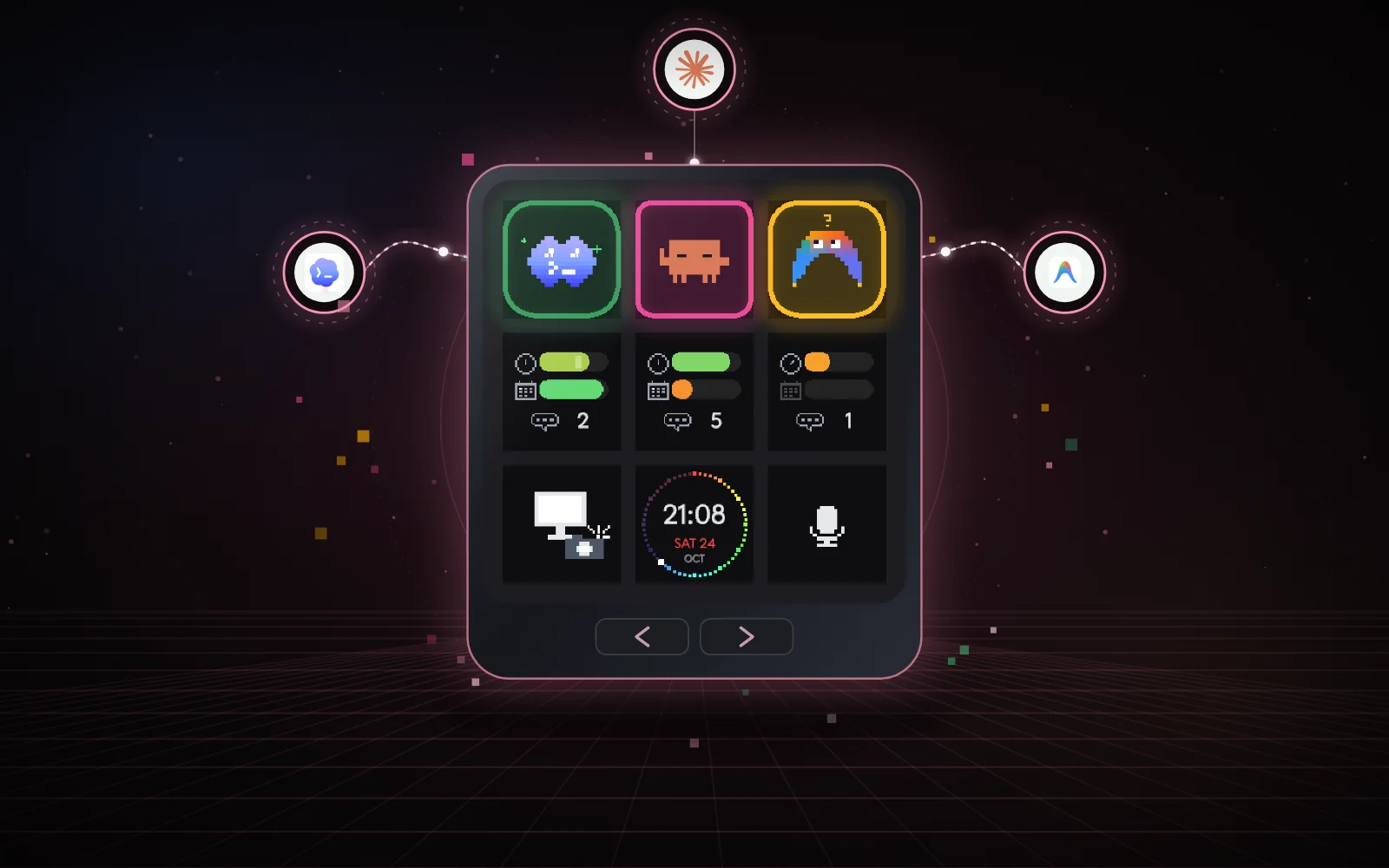
idle it breathes, blinks and looks aroundworking Clawd trots, Codex types, Antigravity flieswaiting for you Clawd waves, the other two show a “?”done sunglasses or sparklesapp closed it sleeps; a press starts it01 / PAGE 1: THE AGENTS
On top, the characters; in the middle, their quotas; at the bottom, screen capture, phone photo and dictation.
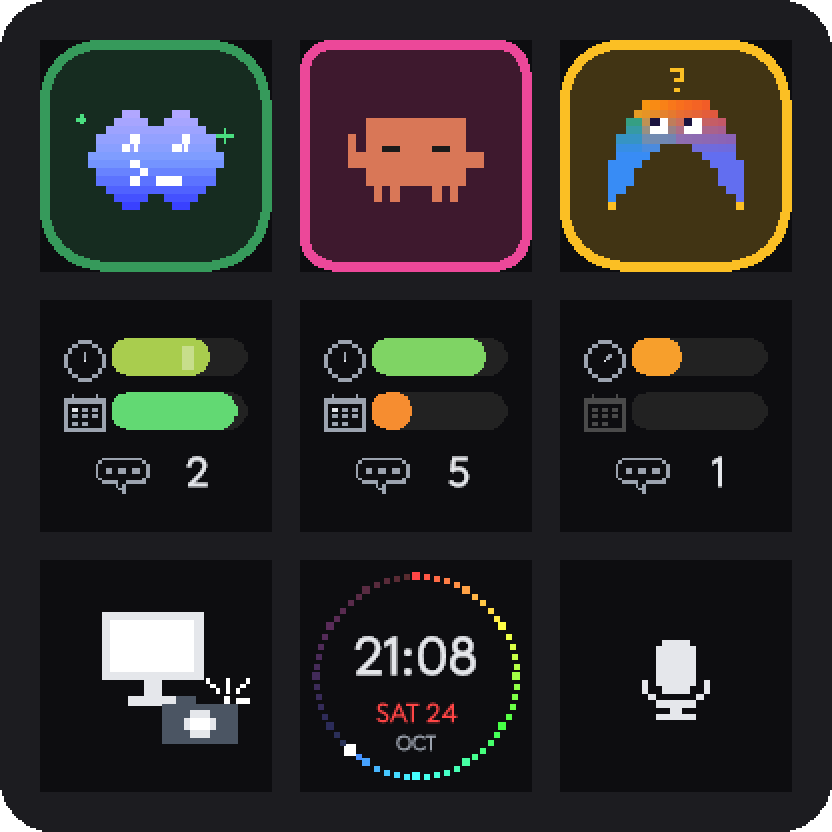
CharactersEach head is animated after its most urgent conversation. Idle, it breathes; working, Clawd (Claude’s mascot) trots, Codex types code, Antigravity flies.
AlertsA question blinks clearly, a finished turn breathes slowly, until you open that conversation.
One pressIt opens the conversation that blinks, full screen and scrolled to the last message. App already in front: each press moves to the next one, urgent ones first.
Quota gaugesNo text: a clock for the 5-hour window, a calendar for the week, and the number of open conversations. A press opens the app’s own usage panel.
Screen captureIt grabs the screen as you see it and pastes it, without sending, into the conversation of the agent in front. The image is reduced to WebP, at most 1568 px and 500 KB.
Phone photoWith an Android phone reachable over adb, its latest photo or screenshot, pasted into the agent in front. Without a phone, the key becomes an animated clock.
DictationIt starts the dictation button of the agent in front; a second press stops it and leaves the text in the field, unsent.
02 / PAGE 2: THE PC
The two bottom buttons of the keypad switch pages. A hidden page costs nothing: it is neither read nor drawn.
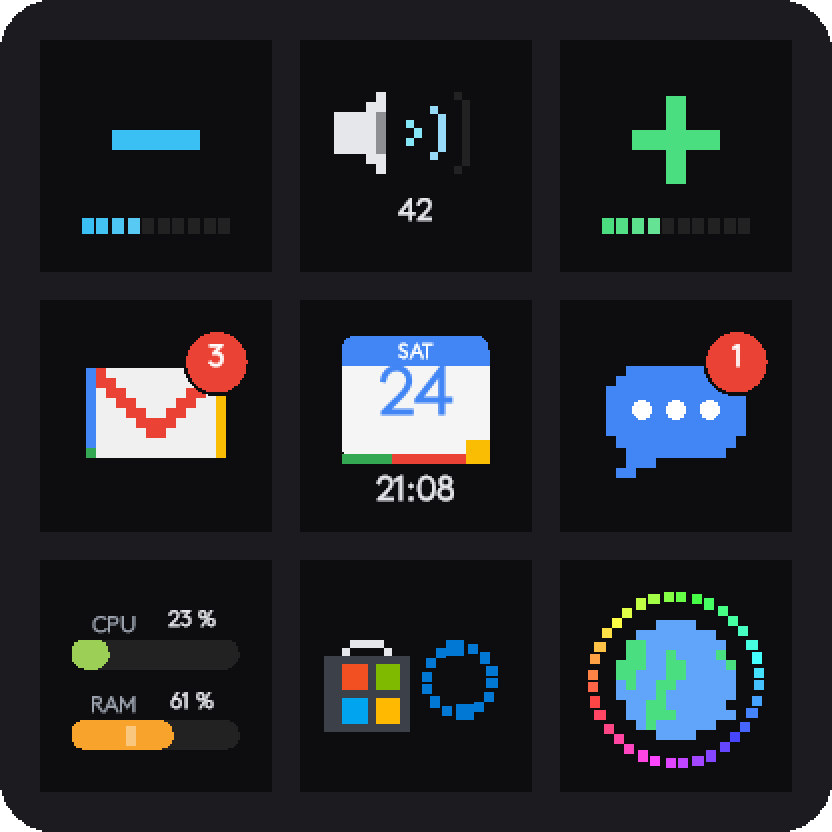
VolumeDown and up, with the level in 10 steps; in the middle, mute, whose waves move with the sound.
Gmail and MessagesUnread mails and SMS/RCS, read from the title of their window on the PC, otherwise from the phone’s notifications. A press opens the app in front.
CalendarToday’s date and the time.
PC healthCPU and memory.
Store and Windows UpdateOne press starts both update checks, without bringing anything to the front.
Website keyThe link and logo of your choice, in a small site.json file. Without it, a spinning globe opens the repository.
03 / HOW IT WORKS
The plugin reads the agents’ state every second and only sends the keypad the keys that changed.
The desktop app’s session files, plus Claude Code hooks that record the state of each session. Quota: the app’s “Usage” button, never expanded by the plugin.
Its session logs (task started, task complete, approval requests). Quota: the last count in its logs. Conversations are opened through its local debugging port.
Its sidebar, read through its local debugging port, plus its hooks. Quota: its own settings page, read on screen like a person would, while you are idle, at most every 15 minutes.
Pixel art computed from the clock, so a late frame still shows the right instant. Busy heads at 8 frames per second, the rest at 4 at most.
04 / PRIVACY
The plugin only talks to 127.0.0.1 (the apps’ debugging ports) and, on a key press, to the page you asked for.
Screen capture, photo and dictation drop their content into the agent’s field. You are the one who sends.
Hook states, the last 5 screen captures and the last 5 photos, the plugin log: all on the PC, with a procedure to remove everything.
Opening a Codex or Antigravity conversation goes through their debugging port, on 127.0.0.1 only. Anything listening on these ports can drive the app: do not enable them on a shared PC.
05 / GOOD TO KNOW
Windows 11 in French and an MX Creative Keypad. Some buttons are found by their label: French for Claude and Codex, English for Antigravity. With another app language these presses do nothing; the states, alerts and page 2 do not depend on it.
The agents’ apps change often: a new version can move a button the plugin relies on.
Windows powers its display down with the PC screen; the plugin stops drawing meanwhile.
06 / INSTALLATION
Clone the repository, build the plugin with the .NET 10 SDK (it installs itself into the Logi service), set up the Claude and Antigravity hooks, then place the 18 keys on the keypad’s default profile and restart Logi Options+.
dotnet build -c Debug plugin\src
Independent project, not affiliated with Logitech, Anthropic, OpenAI or Google.
07 / SOURCE CODE
The plugin, hooks, setup scripts and tests are on GitHub, under the MIT licence.